
Phidgets Getting Started Kit
Product by Phidgets Education
Facts checked: Not yet checked
Our take (not a Learning Standard rating). This label applies to learning-science judgments throughout this overview.
Our take (not a Learning Standard rating)
The Phidgets Getting Started Kit provides tangible hardware for experiential learning, but The Learning Standard has not yet formally evaluated its instructional efficacy. It successfully bridges physical computing with programming through project-based learning, though its reliance on self-guided exploration may leave novice students without adequate foundational scaffolding.
Pros
- Engages students in experiential learning by connecting physical sensors to digital programming outputs.
- Supports project-based learning frameworks that mirror real-world computer science applications.
- Provides tactile feedback which strengthens cognitive associations between abstract code and physical reactions.
Cons
- Lacks built-in spaced repetition or automated retrieval practice for core coding concepts.
- Requires significant educator facilitation to prevent cognitive overload in absolute beginners.
- Does not provide automated, corrective feedback on syntax errors beyond standard compiler outputs.
What Do We Know About Phidgets Getting Started Kit?
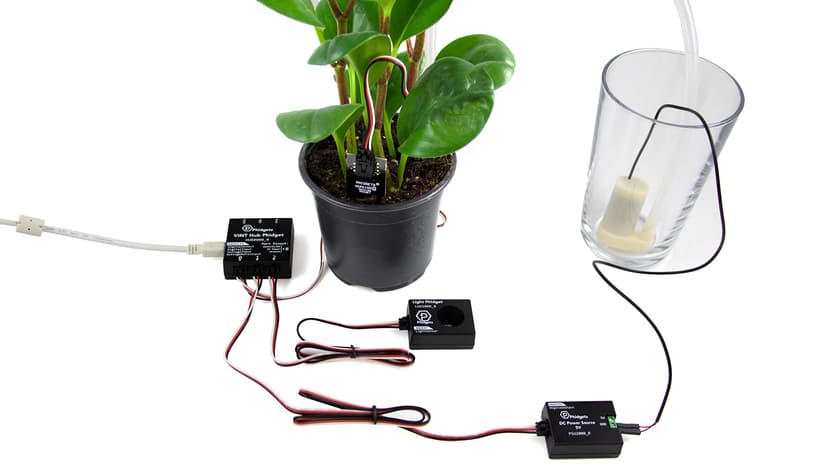
This kit is highly effective for hands-on, project-based STEM learning, though it requires intrinsic motivation and educator support to maximize its value. Your child will use physical USB sensors and write code to control them, grounding abstract computer science concepts in tangible reality. Learning science supports this experiential approach, as tactile engagement helps students construct stronger mental models of how software interacts with hardware. However, The Learning Standard has not yet fully evaluated this tool's long-term efficacy. Because the kit relies heavily on open-ended exploration, it lacks the structured worked examples and spaced retrieval practice found in traditional software-only coding platforms. If your child is new to programming, they may experience cognitive overload when trying to master both hardware wiring and software syntax simultaneously. To succeed, your child will need a structured curriculum or active mentoring alongside the device. When used as a supplement to high school computer science or applied science classes, it bridges the gap between theoretical coding and practical engineering.
How Does Phidgets Getting Started Kit Work?
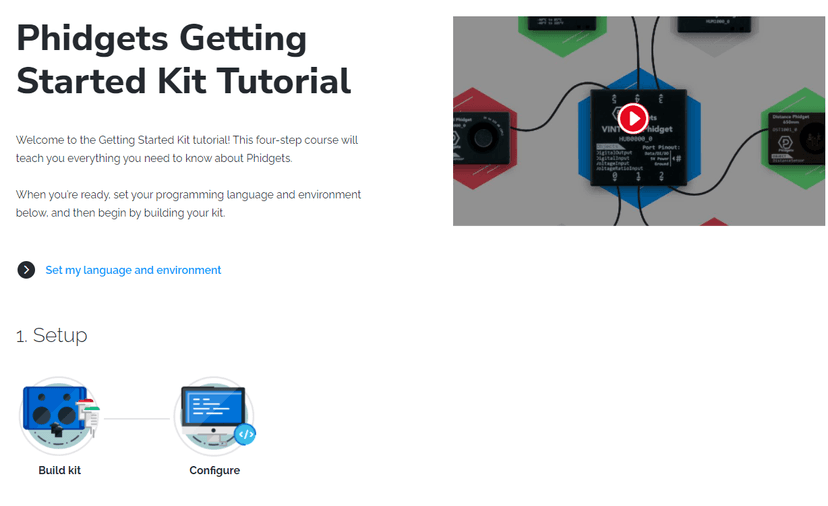
The Phidgets Getting Started Kit uses an experiential, project-based learning approach where students write code to manipulate physical USB sensors. Students connect hardware components to a computer and use industry-standard programming languages like Python or Java to read sensor data and trigger actions. This process relies on constructivist learning theory, requiring learners to build their own understanding through active experimentation and immediate physical feedback. When a student writes a script to turn on an LED or read a temperature sensor, the physical result acts as immediate validation of their logic. The platform provides libraries and APIs rather than a gamified interface, mirroring professional software development environments. While this prepares high school students for career and technical education pathways, it also demands higher executive functioning and self-regulation. Students must independently debug their code and troubleshoot hardware connections, utilizing problem-solving skills rather than relying on automated hints.
Strengths and tradeoffs of Phidgets Getting Started Kit
The biggest strength of the Phidgets Getting Started Kit is its authentic application of physical computing, while its biggest weakness is the absence of embedded scaffolding for novice programmers. Experiential engagement is exceptionally strong here. By linking abstract code to physical sensors, the kit leverages embodied cognition, helping students anchor complex logical concepts to tactile experiences. This makes abstract programming structures like loops and conditionals highly concrete. Real-world applicability is another major asset. Students use actual industry languages and APIs, providing direct career and technical education value. However, the system struggles with cognitive management. Beginners must navigate hardware setup, API documentation, and syntax rules simultaneously, which can easily overwhelm working memory. Unlike platforms that utilize carefully sequenced worked examples, Phidgets drops students into an open-ended environment. Feedback mechanisms are also limited to standard terminal errors and physical non-responses, rather than specific, corrective instructional feedback. Without spaced retrieval practice built into the platform, students must rely on external lesson plans to ensure long-term retention of the programming concepts they encounter.
Who Might Benefit From Phidgets Getting Started Kit?
This kit is best for high school students in grades 9 through 12 who already possess basic programming knowledge and want to apply it to physical engineering. It serves as an excellent practical extension for career and technical education, computer science, and applied science classrooms. Because it utilizes real-world programming languages rather than block-based coding, it is ideal for older teens transitioning from introductory computer science to advanced project-based learning. It is highly recommended for independent learners, robotics clubs, and maker spaces where students have access to educator facilitation to help debug complex hardware and software integrations.
Sources and review method
TLS combines product information and editorial analysis to explain how Phidgets Getting Started Kit works, its tradeoffs, and the questions to ask before choosing it. Product features, an instructional rationale and evidence of learning outcomes are different kinds of information.
Formal Learning Standard assessment: not yet completed. Data Transparency findings are reported separately and do not establish learning effectiveness. Read our methodology.
Frequently Asked Questions About Phidgets Getting Started Kit
Is Phidgets Getting Started Kit free?
No, the hardware kit costs $18. However, it can be purchased as part of a discounted bundle for classroom environments. The associated software libraries and APIs are typically free to download and use with the purchased hardware.
Is Phidgets Getting Started Kit good for 9th graders?
Yes, it is highly appropriate for 9th through 12th graders. The complexity of using text-based programming languages like Python or Java to control physical sensors perfectly aligns with high school cognitive development and career and technical education standards.
What does Phidgets Getting Started Kit teach?
The kit teaches physical computing, computer science, and applied engineering. Students learn how to write code that interacts with the physical world, mastering concepts like loops, variables, hardware APIs, and basic electronic sensor integration through hands-on projects.
How does Phidgets Getting Started Kit compare to Arduino?
Phidgets connects directly via USB and runs code directly from the connected computer, making it faster to deploy for software-focused students. Arduino requires compiling and flashing code to a microcontroller, which teaches deeper hardware architecture but has a steeper initial learning curve.
Has The Learning Standard evaluated Phidgets Getting Started Kit?
TLS has not yet completed a Learning Standard evaluation of how well Phidgets Getting Started Kit teaches. TLS has not published a Data Transparency result for its privacy policy.
Follow TLS Research
Subscribe to future TLS research updates: app reviews, findings, and what the evidence shows.
Screenshots

Take Action
For Phidgets Getting Started Kit
If you represent Phidgets Education and have a correction or new evidence, send the relevant source so we can review and update this page.
Submit a correctionDetails
- Pricing
- The Getting Started Kit can be purchased individually for $18 or as part of a bundle for a discount!
- Platforms
- Windows (Microsoft), macOS (Apple), Other
- Grade Levels
- 9th Grade, 10th Grade, 11th Grade, 12th Grade
- Website
- Visit site