
EasyTech
Product by Learning.com
Facts checked: Not yet checked
Our take (not a Learning Standard rating). This label applies to learning-science judgments throughout this overview.
Our take (not a Learning Standard rating)
EasyTech offers a comprehensive curriculum for digital literacy and computer science, but The Learning Standard has not yet evaluated its effectiveness. While its use of hands-on practice and project-based learning aligns with established cognitive science principles for knowledge transfer, independent data is required to confirm student outcomes.
Pros
- Integrates direct instruction with hands-on practice to reduce cognitive overload during new skill acquisition.
- Culminates lessons in real-world projects, which supports the transfer of learning to novel contexts.
- Provides asynchronous flexibility that allows students to pace their own learning and revisit complex concepts.
- Aligns cross-curricular STEM topics to build schema across multiple academic disciplines.
Cons
- Requires district or school purchasing, meaning individual parents cannot access the platform for home use.
- Gamified elements risk distracting students from core learning objectives if not carefully integrated with the curriculum.
- Lacks independent efficacy data from The Learning Standard to verify mastery-based progression.
- Heavy reliance on screen-based instruction may decrease engagement for younger learners in early elementary grades without strong teacher facilitation.
What Do We Know About EasyTech?
EasyTech has strong potential to teach digital literacy effectively through project-based learning, though The Learning Standard has not yet verified its outcomes. Because this is a district-level program, your child will likely encounter it assigned by their classroom teacher rather than as an app you download at home. The platform covers a massive range of skills from prekindergarten through high school, focusing heavily on computer science, STEM, and essential tech capabilities like typing and online safety. The curriculum relies on blended learning, meaning your child will complete online modules alongside traditional classroom instruction. This approach is highly beneficial for complex subjects like coding, as it allows students to learn asynchronously. They can pause, rewind, and review foundational concepts without holding up the rest of the class. However, because EasyTech leans heavily on gamification, parents should monitor whether their child is actually absorbing the material or simply clicking through to earn rewards. While hands-on practice and real-world projects are excellent for deepening cognitive processing, the ultimate effectiveness of EasyTech will depend heavily on how well your child's specific teacher integrates these digital lessons into the broader classroom environment.
How Does EasyTech Work?
EasyTech utilizes a blended learning approach that combines direct, asynchronous video instruction with hands-on practice and real-world project application. When your child logs into the platform, they navigate through a structured sequence of modules tailored to their specific grade band. The instruction begins with explicit teaching of a new digital or STEM concept, reducing initial cognitive load by breaking complex tasks into manageable steps. Following this direct instruction, students immediately apply what they have learned through interactive, gamified practice sets. This immediate application functions as a form of retrieval practice, forcing the brain to recall and use new information to strengthen memory traces. As students progress through a unit, the isolated skills they practice culminate in comprehensive projects. These projects are designed to facilitate knowledge transfer, requiring students to synthesize multiple skills, such as coding, typing, and research, to solve a realistic problem. Teachers monitor this progression through a backend dashboard, allowing them to identify areas where your child might need targeted intervention or additional support.
Strengths and tradeoffs of EasyTech
EasyTech's biggest strength is its use of real-world projects to solidify knowledge transfer, while its biggest weakness is the potential for gamified elements to cause cognitive distraction. Project-based learning is a cornerstone of the EasyTech curriculum, and this is highly supported by learning science. By requiring students to apply isolated coding or typing skills to broad, realistic scenarios, the platform ensures that knowledge is not just memorized but deeply understood and adaptable. This synthesis of skills helps build complex cognitive schemas. Furthermore, the asynchronous direct instruction allows your child to control the pace of their learning, which is critical for managing cognitive load when tackling difficult computer science concepts. On the downside, the platform relies heavily on gamified content. While badges and points can boost initial engagement, extrinsic rewards often fail to sustain long-term motivation and can distract learners from the actual educational content. Additionally, because the platform spans from prekindergarten to high school, the blended learning model may demand too much self-regulation for younger children. Without active teacher facilitation, early elementary students may struggle to navigate the interface or meaningfully connect the digital practice to their physical classroom lessons.
Who Might Benefit From EasyTech?
EasyTech is best for K-12 school districts seeking a structured, comprehensive curriculum to standardize digital literacy and computer science instruction across all grade levels. Because the platform scales from prekindergarten through twelfth grade, it is an excellent fit for educators who want a unified progression of STEM skills rather than a patchwork of different applications. It is particularly beneficial for middle and high school students who thrive in self-paced, asynchronous learning environments where they can tackle complex coding and technology projects independently. However, it is not an option for individual families looking for supplemental at-home coding practice, as it requires an institutional purchase.
Data Transparency
Meets Data Transparency Standard
EasyTech meets our data transparency standard at Level 2 of 3 (Parent control). Level 3 needs the policy to document an API for retrieving their own data and a named export format.
21 of 35 checks passed
Level 1 · Basic protections
Does not sell data or target ads at students, limits sharing, and lets parents see and delete their child's data.
Level 2 · Parent control (meets the standard)
Families can get their data out, know who processes it, and know how long it is kept.
Level 3 · Direct data access
Families or schools can pull their own data through an API, in a stated format.
Not documented: an API for retrieving their own data, a named export format
View all 35 checks
Parent Access7/8
Does the policy mention parents specifically?
“We provide this Policy to parents and legal guardians (“ **parents**“) in compliance with the [Children’s Online Privacy Protection Act](https://www.ftc.gov/legal-library/browse/statutes/childrens-online-privacy-protection-act) and its rules”
Can parents view their child's data?
“If you are a parent and wish to review your child’s personal information, direct us to delete such information, or refuse to allow further collection or use of such information, please contact your school administrator to submit a request.”
Can parents modify their child's data?
The policy gives parents rights to review, delete, or refuse further collection of their child's data but does not give them an explicit right to correct or modify it.
Can parents delete their child's account?
“If you are a parent and wish to review your child’s personal information, direct us to delete such information, or refuse to allow further collection or use of such information, please contact your school administrator to submit a request.”
Is there a dedicated Children's Privacy section?
“See our [Children’s Privacy Policy](https://learning.com/privacy-policy-childrens-policy) to understand how Learning.com collects, uses, discloses and protects personal information from children under that age of 13”
Does it reference COPPA compliance?
“We provide this Policy to parents and legal guardians (“ **parents**“) in compliance with the [Children’s Online Privacy Protection Act](https://www.ftc.gov/legal-library/browse/statutes/childrens-online-privacy-protection-act) and its rules”
Does it reference FERPA compliance?
“Learning.com processes all student education records in accordance with the Family Educational Rights and Privacy Act (FERPA).”
Is parental consent required for child accounts?
“Learning.com only collects and processes personal information from children where that children’s school, district and/or teacher has contracted with Learning.com and has obtained parental consent to the collection of the children’s personal information.”
Data Portability2/5
Can users access their personal data?
“You may submit a request to exercise your rights to access, correction, deletion, and data portability by contacting your school administrator.”
Can users download/export their data?
“**Data Portability:** The right to obtain a copy of your personal information in a portable, and, to the extent technically feasible, readily usable format that allows you to transmit the data to another entity without hindrance.”
Is there a self-service data access tool?
The policy has users make data requests through their school administrator and does not describe a self-service tool.
Is a specific data format mentioned for export?
The policy mentions only a portable, readily usable format and names no specific file format.
Is there an API for data access?
The policy does not describe an API that users or schools can use to retrieve their data.
Data Minimization2/6
Is data collection itemized?
“Learning.com collects the following personal information from children: ### Identifiers The child’s name, email address, and account credentials.”
Can the app be used without a real name?
The policy says it collects the child's name.
Can the app be used without an email?
The policy says it collects the child's email address.
Does it state collection is limited to what is necessary?
“We only collect as much personal information from children as is reasonably necessary for the child to access and use the Platform, and we do not condition participation on the disclosure of more personal information than is reasonably necessary.”
Is IP address anonymized or truncated?
The policy does not address anonymizing or truncating IP addresses.
Is location tracking explicitly excluded?
The policy does not explicitly rule out location tracking.
Third-Party Protection6/7
Does it explicitly state no selling of data?
“We do not sell or share your or your child’s personal information.”
Are third-party providers named?
“Our platform integrates SSO’s (e.g., Clever, ClassLink, Google, and Microsoft).”
Are providers contractually restricted?
“we contractually prohibit the service providers and third parties from retaining, using, or disclosing any personal information belonging to children, other than as is required to provide such services.”
No-targeted-advertising commitment?
“We do not sell or use your or your child’s personal information for targeted advertising purposes.”
Is AI/ML data sharing addressed?
The policy does not address sharing data for AI or machine learning.
Child-specific sharing restriction?
“You have the right to consent to the collection and use of your child’s personal information for the Platform, while prohibiting further disclosure to third parties or service providers, unless such services are part of the Platform.”
Cookies/tracking limited or opt-out?
“We do not use analytics or advertising cookies in the Portal.”
Deletion & Retention3/5
Can users delete their account?
“You may submit a request to exercise your rights to access, correction, deletion, and data portability by contacting your school administrator.”
Self-service deletion mechanism?
The policy handles deletion by request through the school administrator and describes no self-service deletion tool.
Specific data retention timeline?
“Accounts belonging to children that are inactive for 90 days are securely deleted.”
Auto-deletion of inactive accounts?
“Accounts belonging to children that are inactive for 90 days are securely deleted.”
Post-deletion handling described?
The policy says data is securely deleted but does not describe what happens after deletion, such as backups or residual copies.
Advertising1/4
Advertising model explicitly disclosed?
The policy says the Portal uses no advertising cookies and no targeted advertising but never states whether the product carries advertising.
Free from third-party advertisements?
The policy does not explicitly state that the product has no third-party advertisements.
Children excluded from ad targeting?
“We do not sell or use your or your child’s personal information for targeted advertising purposes.”
Ad-free option available?
The policy does not explicitly say the product is ad-free or offer an ad-free option.
Meets Data Transparency Standard
The reviewed policy met our data transparency standard. This result describes the policy disclosures we assessed. Actual practices and legal compliance were not verified.
About this evaluation: Based on automated analysis of Privacy Policy and Privacy Policy against 35 policy-disclosure questions, including questions adapted from the Common Sense Privacy Program's published evaluation questions. TLS is not affiliated with Common Sense Media, and this is not a Common Sense rating. Quoted text is copied from the policy; unquoted notes are our summary. Results describe what the policy documents, not the company's actual practices. Privacy policies can change: this review reflects the version we analyzed and does not determine legal compliance.
Sources and review method
TLS combines product information and editorial analysis to explain how EasyTech works, its tradeoffs, and the questions to ask before choosing it. Product features, an instructional rationale and evidence of learning outcomes are different kinds of information.
Formal Learning Standard assessment: not yet completed. Data Transparency findings are reported separately and do not establish learning effectiveness. Read our methodology.
Frequently Asked Questions About EasyTech
Is EasyTech free?
No, EasyTech is not free for individual users. It is an enterprise-level curriculum sold exclusively to schools and districts. If your child uses EasyTech, your local school district has purchased a license to integrate the platform into their classroom instruction.
Is EasyTech good for elementary students?
EasyTech can be good for elementary students if supported by active teacher guidance. While the platform offers content starting in prekindergarten, early learners often lack the self-regulation required for asynchronous digital learning. Hands-on teacher facilitation is essential to help young children connect screen-based concepts to real-world understanding.
What does EasyTech teach?
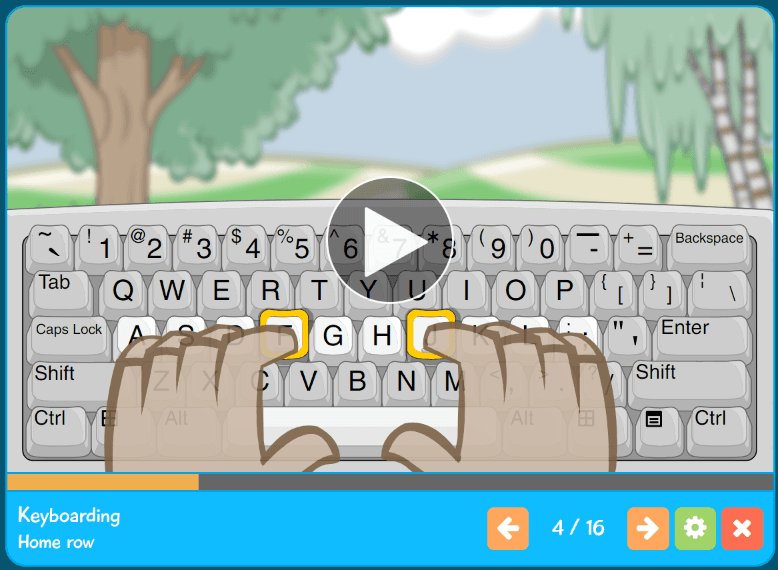
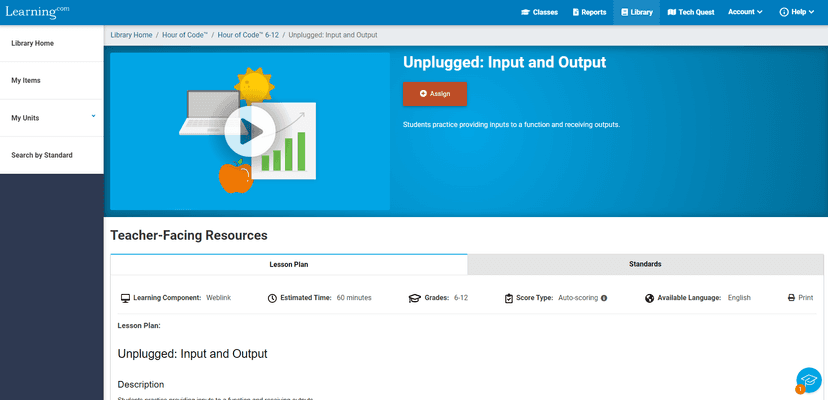
EasyTech teaches a comprehensive range of STEM, computer science, and digital literacy skills. The curriculum covers foundational abilities like keyboarding and online safety for younger students, progressing to advanced coding, computational thinking, and career and technical education applications for high schoolers.
EasyTech vs. Code.org: Which is better?
Code.org is a free, widely accessible platform specifically focused on coding, while EasyTech is a paid, comprehensive district curriculum covering broader digital literacy and STEM topics. According to The Learning Standard's methodology, the best choice depends on whether a school needs a complete technology curriculum (EasyTech) or a targeted computer science introduction (Code.org). EasyTech is currently pending evaluation by our team.
Has The Learning Standard evaluated EasyTech?
TLS has not yet completed a Learning Standard evaluation of how well EasyTech teaches. Its privacy policy has been reviewed for Data Transparency and reaches Level 2, Parent control.
Is EasyTech COPPA compliant?
The reviewed privacy policy references COPPA. A policy reference alone does not establish COPPA compliance. Policy review note: The children's policy says it is provided in compliance with COPPA.
Is EasyTech FERPA compliant?
The reviewed privacy policy references FERPA. A policy reference alone does not establish FERPA compliance. Policy review note: The policy states FERPA compliance.
Does EasyTech have a children's privacy policy?
The reviewed policy includes a dedicated children's privacy section. Policy review note: There is a section headed Children's Privacy, plus a separate Children's Privacy Policy.
Does EasyTech sell student data?
The reviewed policy states that the app does not sell data. This is a policy statement; actual data practices were not verified. Policy review note: The policy states the company does not sell personal information.
Can you delete your data from EasyTech?
The reviewed privacy policy describes account deletion. We have not tested the deletion process. Policy review note: Users can request deletion through their school administrator.
Follow TLS Research
Subscribe to future TLS research updates: app reviews, findings, and what the evidence shows.
Screenshots
Take Action
For EasyTech
If you represent Learning.com and have a correction or new evidence, send the relevant source so we can review and update this page.
Submit a correctionDetails
- Pricing
- EasyTech is available for purchase by schools and districts. For pricing information, contact us at sales@learning.com.
- Platforms
- Web Browser, iPadOS (Apple tablet), Android (Google mobile), Windows (Microsoft), macOS (Apple)
- Grade Levels
- Prekindergarten, Transitional Kindergarten, Kindergarten, 1st Grade, 2nd Grade, 3rd Grade, 4th Grade, 5th Grade, 6th Grade, 7th Grade, 8th Grade, 9th Grade, 10th Grade, 11th Grade, 12th Grade
- Website
- Visit site