
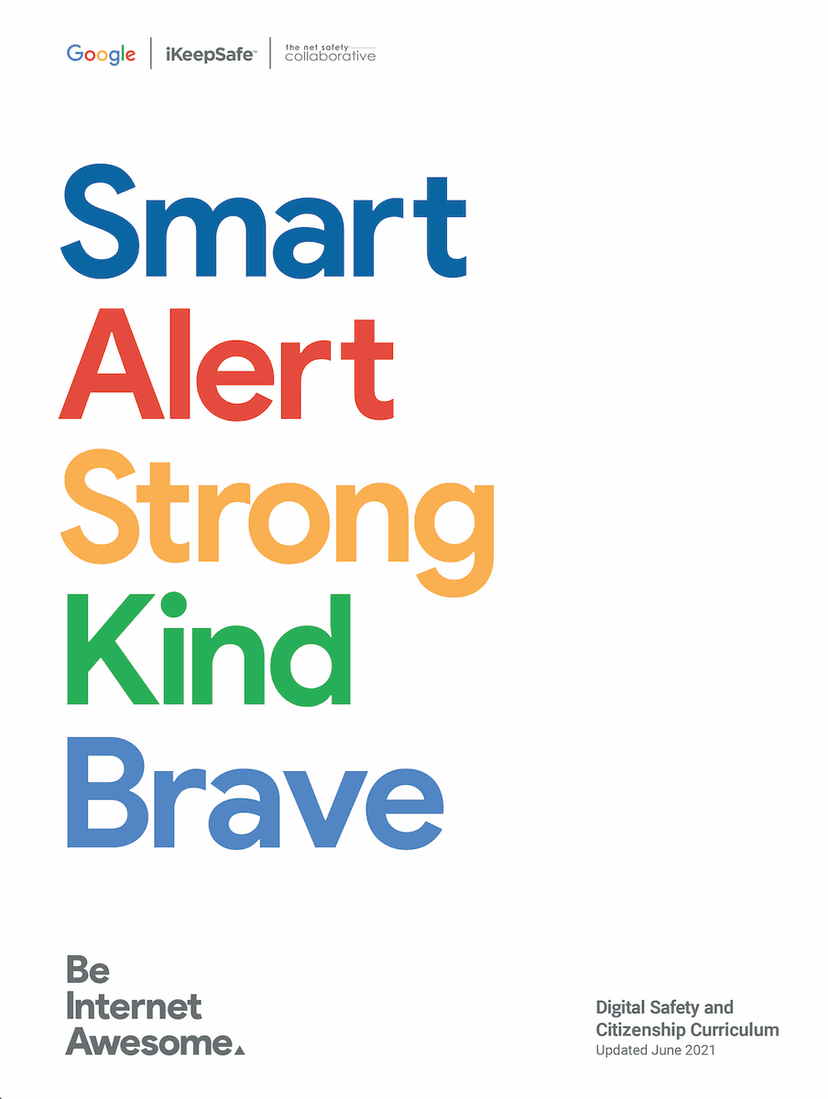
Be Internet Awesome
Product by Google
Facts checked: Not yet checked
Our take (not a Learning Standard rating). This label applies to learning-science judgments throughout this overview.
Our take (not a Learning Standard rating)
While Be Internet Awesome uses engaging gamification to introduce digital citizenship concepts, its reliance on multiple-choice trivia limits deep cognitive processing. The program excels at building foundational awareness of phishing, privacy, and online kindness, but lacks the spaced retrieval practice necessary to ensure long-term behavioral change in actual online environments.
Pros
- Uses scenario-based examples to help students identify phishing attempts and unsafe sharing practices.
- Provides immediate corrective feedback when learners select incorrect actions during minigames.
- Offers a comprehensive educator dashboard with blended learning lesson plans for classroom reinforcement.
- Reduces cognitive load by separating distinct digital citizenship themes into distinct, easily digestible game worlds.
Cons
- Relies heavily on recognition rather than recall, limiting the depth of memory encoding.
- Lacks spaced repetition mechanics to reinforce safety concepts over time.
- Does not simulate realistic social media environments where kids actually practice these skills.
- Fails to adapt difficulty based on individual student performance or prior knowledge.
What Do We Know About Be Internet Awesome?
Be Internet Awesome provides a strong, engaging introduction to online safety but requires supplementary parent-led discussion to cement true digital literacy. Your child will play through Interland, a visually appealing game world that introduces concepts like strong passwords, identifying scams, and cyberbullying prevention. The program relies heavily on gamification to capture attention, which effectively motivates learners but can sometimes overshadow the educational content. Because the game relies mostly on multiple-choice questions and simple platforming mechanics, it tests recognition rather than deep application of skills. The Learning Standard has not yet formally evaluated this program's efficacy data, but learning science indicates that these types of scenario-based lessons work best when paired with real-world practice. Parents should use the game as a springboard for conversations about digital habits rather than a standalone safety course. Without real-world context and spaced retrieval practice, your child may struggle to transfer the skills learned in the game to actual online environments like social media or multiplayer games.
How Does Be Internet Awesome Work?
Be Internet Awesome utilizes game-based learning and scenario-driven instruction to teach foundational digital citizenship. The core student experience happens within Interland, a browser-based game divided into four distinct worlds that each target a specific learning objective: password security, scam identification, mindful sharing, and online kindness. Your child navigates a character through these 3D environments, encountering obstacles that require them to answer multiple-choice questions or complete simple logic puzzles to progress. The program provides immediate feedback, correcting mistakes on the spot so learners understand why a particular password is weak or a specific email is a phishing attempt. For educators, the platform provides a blended learning curriculum consisting of slide decks, printable activities, and discussion prompts designed to move the learning from the screen to the classroom. This dual approach ensures that the gamified introduction is followed by direct instruction and peer discussion.
Strengths and tradeoffs of Be Internet Awesome
The biggest strength of Be Internet Awesome is its highly engaging, low-barrier entry to complex digital safety topics, while its biggest weakness is the lack of realistic simulation and spaced retrieval practice. The program brilliantly utilizes worked examples and scenario-based learning to make abstract threats like phishing and data privacy concrete for elementary and middle school students. By embedding these lessons in a polished, gamified environment, it sustains student attention and reduces the cognitive load typically associated with dense cybersecurity instruction. However, the game relies heavily on multiple-choice mechanics, which only demand recognition memory rather than the active recall required to build deep, lasting knowledge. Furthermore, because it does not use spaced repetition, students are likely to forget these safety protocols once they close the browser. The scenarios, while helpful, are cartoonish and do not mimic the actual interfaces of social media apps or text messages where kids face real digital dilemmas. Consequently, students may struggle with transfer of learning, failing to apply the game's lessons when confronting actual online bullying or scams.
Who Might Benefit From Be Internet Awesome?
Be Internet Awesome is best for elementary and middle school students who need a structured, highly visual introduction to basic digital citizenship and online safety. Designed for grades 3 through 8, it serves as an excellent starting point for kids who are just getting their first smartphone, email address, or social media account. Educators will find it highly useful as a supplementary activity that pairs with direct classroom instruction on cyberbullying and privacy. Parents looking for a conversational icebreaker regarding internet rules will benefit from playing alongside their child.
Data Transparency
Does Not Meet Data Transparency Standard
Be Internet Awesome does not meet our data transparency standard. Its privacy policy does not document basic protections, including a commitment against targeted advertising, limits on sharing children's data and a COPPA or FERPA commitment.
13 of 35 checks passed
Evaluated September 2026
Privacy Policy →Level 1 · Basic protections
Does not sell data or target ads at students, limits sharing, and lets parents see and delete their child's data.
Not documented: a commitment against targeted advertising, limits on sharing children's data, a COPPA or FERPA commitment, parents' right to see their child's data, parents' right to delete their child's data
Level 2 · Parent control (meets the standard)
Families can get their data out, know who processes it, and know how long it is kept.
Not documented: a data retention timeline
Level 3 · Direct data access
Families or schools can pull their own data through an API, in a stated format.
Not documented: an API for retrieving their own data, a named export format
View all 35 checks
Parent Access0/8
Does the policy mention parents specifically?
The policy does not mention parents.
Can parents view their child's data?
The policy does not address parents viewing their child's data.
Can parents modify their child's data?
The policy does not address parents modifying their child's data.
Can parents delete their child's account?
The policy does not address parents deleting their child's data or account.
Is there a dedicated Children's Privacy section?
The policy has no dedicated children's privacy section and only links to separate children's notices.
Does it reference COPPA compliance?
The policy does not reference COPPA.
Does it reference FERPA compliance?
The policy does not reference FERPA.
Is parental consent required for child accounts?
The policy does not state that parental consent is required for child accounts.
Data Portability3/5
Can users access their personal data?
“When you’re signed in, you can always review and update information by visiting the services you use.”
Can users download/export their data?
“You can export a copy of content in your Google Account if you want to back it up or use it with a service outside of Google.”
Is there a self-service data access tool?
“My Activity allows you to review and control data that’s saved to your Google Account when you’re signed in and using Google services, like searches you’ve done or your visits to Google Play. You can browse by date and by topic, and delete part or all of your activity.”
Is a specific data format mentioned for export?
The policy mentions access 'sometimes in a portable format' but names no specific export format.
Is there an API for data access?
The policy does not describe an API for users to retrieve their own data.
Data Minimization1/6
Is data collection itemized?
“Internet, network, and other activity information** such as your search terms; views and interactions with content and ads; Chrome browsing history you’ve synced with your Google Account; information about the interaction of your apps, browsers, and devices with our services (like IP address, crash reports, and system activity); and activity on third-party sites and apps that use our services.”
Can the app be used without a real name?
The policy states that creating a Google Account involves providing a name.
Can the app be used without an email?
The policy states that Google collects email addresses, typically as part of account information.
Does it state collection is limited to what is necessary?
The policy does not state that collection is limited to what is necessary.
Is IP address anonymized or truncated?
The policy states that IP addresses are collected and does not say they are anonymized or truncated.
Is location tracking explicitly excluded?
The policy states that Google collects location information, including GPS data.
Third-Party Protection5/7
Does it explicitly state no selling of data?
“Google does not sell your personal information.”
Are third-party providers named?
“For example, to prevent abuse and increase transparency and accountability over our online content moderation practices, Google shares data about requests for removal of content from our services with Lumen, which collects and analyzes these requests to facilitate research to help Internet users understand their rights.”
Are providers contractually restricted?
“Google shares information with service providers to perform services on our behalf, in compliance with our Privacy Policy and other appropriate confidentiality and security measures.”
No-targeted-advertising commitment?
The policy states that Google shows personalized ads based on user activity.
Is AI/ML data sharing addressed?
“For example, we use publicly available information to help train Google’s AI models and build products and features like Google Translate, Gemini Apps, and Cloud AI capabilities.”
Child-specific sharing restriction?
The policy has no child-specific sharing restrictions.
Cookies/tracking limited or opt-out?
“You can configure your browser to refuse all cookies or to indicate when a cookie is being sent. However, some website features or services may not function properly without cookies.”
Deletion & Retention3/5
Can users delete their account?
“You can edit or delete your account at any time through your Google Account settings.”
Self-service deletion mechanism?
“You can edit or delete your account at any time through your Google Account settings.”
Specific data retention timeline?
The policy says retention varies and refers to 'a set period of time' without stating specific periods.
Auto-deletion of inactive accounts?
The policy does not describe automatic deletion of inactive accounts.
Post-deletion handling described?
“When you delete data, we follow a deletion process to make sure that your data is safely and completely removed from our servers or retained only in anonymized form.”
Advertising1/4
Advertising model explicitly disclosed?
“Google processes information to provide advertising, including online identifiers, browsing and search activity, and information about your location and interactions with advertisements. This keeps Google’s services and many of the websites and services you use free of charge.”
Free from third-party advertisements?
The policy states that Google shows ads, including ads from advertisers, across its services.
Children excluded from ad targeting?
The policy does not exclude children from ad targeting.
Ad-free option available?
The policy lets users turn off personalized ads but offers no ad-free option.
What This Means
The policy review did not meet our data transparency standard. The checks above show the documented findings and unknowns. A missing statement does not establish how the app handles data in practice.
About this evaluation: Based on automated analysis of Privacy Policy against 35 policy-disclosure questions, including questions adapted from the Common Sense Privacy Program's published evaluation questions. TLS is not affiliated with Common Sense Media, and this is not a Common Sense rating. Quoted text is copied from the policy; unquoted notes are our summary. Results describe what the policy documents, not the company's actual practices. Privacy policies can change: this review reflects the version we analyzed and does not determine legal compliance.
Sources and review method
TLS combines product information and editorial analysis to explain how Be Internet Awesome works, its tradeoffs, and the questions to ask before choosing it. Product features, an instructional rationale and evidence of learning outcomes are different kinds of information.
Formal Learning Standard assessment: not yet completed. Data Transparency findings are reported separately and do not establish learning effectiveness. Read our methodology.
Frequently Asked Questions About Be Internet Awesome
Is Be Internet Awesome free?
Yes, Be Internet Awesome is completely free for both families and educators. Google provides the Interland game, along with all associated lesson plans, slide decks, and printable resources, at no cost and without any in-app purchases or subscriptions.
Is Be Internet Awesome good for elementary students?
Yes, the program is specifically designed for students in grades 3 through 8. The cartoonish graphics, simplified vocabulary, and straightforward platforming mechanics make the concepts of data privacy and phishing highly accessible for younger learners without overwhelming them with technical jargon.
What does Be Internet Awesome teach?
Be Internet Awesome teaches foundational digital citizenship, focusing on five core pillars: sharing with care, avoiding online scams, securing passwords, practicing digital kindness, and communicating openly with adults about online experiences. It does not teach technical computer science or coding.
How does Be Internet Awesome compare to Common Sense Education?
While Be Internet Awesome relies heavily on gamification and a polished 3D world to introduce safety concepts, Common Sense Education offers a more comprehensive, traditional curriculum with deeper dives into media literacy and digital well-being. Google's program is more self-directed for kids, whereas Common Sense is primarily educator-led.
Has The Learning Standard evaluated Be Internet Awesome?
TLS has not yet completed a Learning Standard evaluation of how well Be Internet Awesome teaches. Its privacy policy has been reviewed for Data Transparency and does not yet document the basic protections (Level 1).
Is Be Internet Awesome COPPA compliant?
A COPPA reference was not found in the reviewed privacy policy. This does not determine whether the app complies with COPPA. Policy review note: The policy does not reference COPPA.
Is Be Internet Awesome FERPA compliant?
A FERPA reference was not found in the reviewed privacy policy. This does not determine whether the app complies with FERPA. Policy review note: The policy does not reference FERPA.
Does Be Internet Awesome have a children's privacy policy?
No dedicated children's privacy section was found in the reviewed policy. Policy review note: The policy has no dedicated children's privacy section and only links to separate children's notices.
Does Be Internet Awesome sell student data?
The reviewed policy states that the app does not sell data. This is a policy statement; actual data practices were not verified. Policy review note: The policy explicitly states Google does not sell personal information.
Can you delete your data from Be Internet Awesome?
The reviewed privacy policy describes account deletion. We have not tested the deletion process. Policy review note: Users can delete their account.
Follow TLS Research
Subscribe to future TLS research updates: app reviews, findings, and what the evidence shows.
Screenshots


Latest News
All Be Internet Awesome NewsTake Action
For Be Internet Awesome
If you represent Google and have a correction or new evidence, send the relevant source so we can review and update this page.
Submit a correctionDetails
- Pricing
- Free
- Platforms
- Web Browser, iPadOS (Apple tablet), Android (Google mobile), Other
- Grade Levels
- 3rd Grade, 4th Grade, 5th Grade, 6th Grade, 7th Grade, 8th Grade
- Website
- Visit site