KIBO STEAM Robot
Product by KinderLab Robotics, Inc.
Facts checked: Not yet checked
Our take (not a Learning Standard rating). This label applies to learning-science judgments throughout this overview.
Our take (not a Learning Standard rating)
While The Learning Standard has not formally evaluated the KIBO STEAM Robot, its screen-free, physical block-based coding approach leverages experiential learning and reduces cognitive overload. It effectively teaches basic sequencing and logic to early learners, though its high price limits accessibility for individual families compared to digital alternatives.
Pros
- Uses physical manipulatives to teach abstract coding concepts, reducing cognitive load for early learners.
- Eliminates screen time entirely, supporting focused attention without digital distractions.
- Encourages collaborative problem-solving through hands-on, shared physical building tasks.
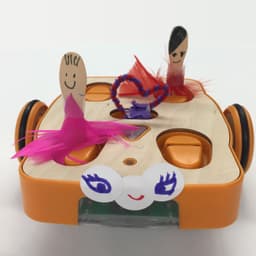
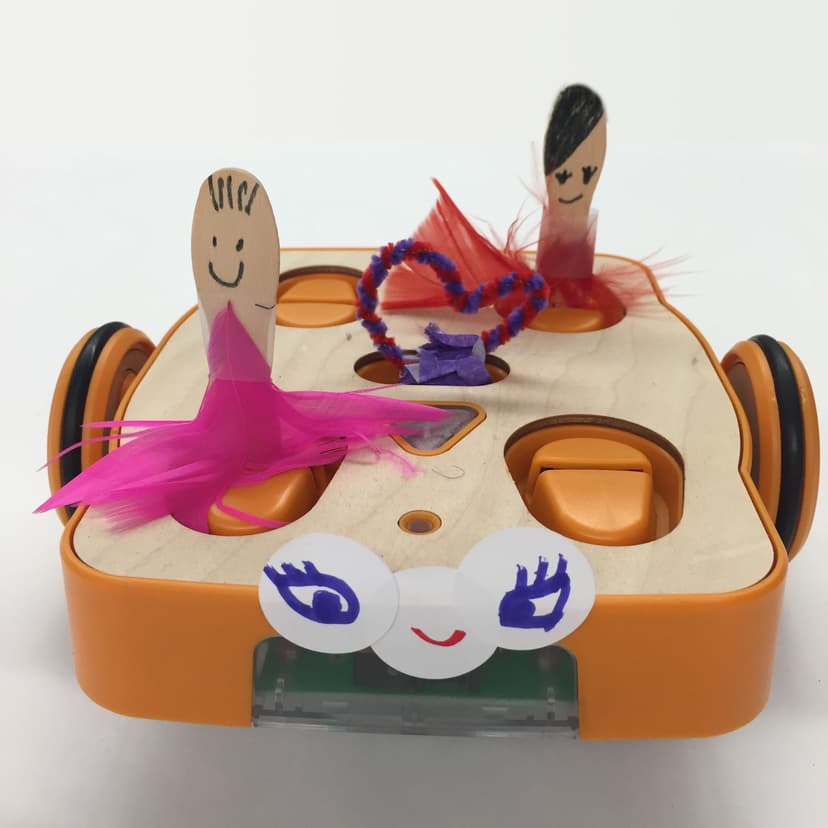
- Integrates art and engineering by allowing children to physically decorate and modify the robot exterior.
Cons
- Requires significant adult facilitation for initial setup and troubleshooting.
- High starting cost makes it inaccessible for many individual households.
- Lacks automated, immediate feedback on logical errors, relying on the child to physically observe the robot failure.
- Does not scale to more complex programming concepts like advanced loops or variables found in screen-based alternatives.
What Do We Know About KIBO STEAM Robot?
The KIBO STEAM Robot is an effective tool for teaching foundational logic and sequencing to early elementary students through physical play. Because this product relies entirely on hands-on manipulatives rather than digital screens, your child will learn coding concepts by physically linking wooden programming blocks. This approach builds on experiential learning principles, helping young brains grasp abstract ideas like computational thinking without the working memory strain often caused by tablet interfaces. Your child creates a sequence of commands with the blocks, scans them with the robot, and watches the physical execution. While The Learning Standard has not yet formally rated KIBO, research consistently shows that tangible interfaces improve spatial reasoning and collaborative problem-solving in early childhood. You should know that KIBO is expensive and requires direct adult involvement. It does not provide the automated guardrails or immediate corrective feedback found in software applications. If your child makes a logic error, they must observe the robot physical behavior, identify the mistake, and manually rearrange the blocks. This builds resilience but can cause frustration without a teacher or parent present to guide the debugging process.
How Does KIBO STEAM Robot Work?
KIBO uses an experiential, play-based approach to computational thinking by having children program a physical robot using tangible wooden blocks. Your child starts by snapping together wooden blocks printed with simple commands like forward, turn, sing, or toss. These blocks represent lines of code. Once the sequence is built, your child uses the KIBO robot built-in barcode scanner to read the blocks in order. After scanning, they press a button and the robot executes the program in the physical world. This translates abstract programming logic into concrete, observable actions. The physical nature of the blocks forces children to slow down and practice computational planning, which strengthens executive function. By manipulating tangible objects, learners engage their spatial reasoning skills. The system includes add-on sensors for light, sound, and distance, allowing older children to experiment with conditional logic. Because there is no screen, the feedback loop is entirely physical. The robot either performs the intended action or it does not, requiring the child to manually debug their sequence by physically swapping blocks.
Strengths and tradeoffs of KIBO STEAM Robot
The biggest strength of KIBO is its use of tangible, screen-free manipulatives to teach abstract logic, while its biggest weakness is the lack of scalable complexity and automated feedback. By relying on physical blocks, KIBO brilliantly reduces the cognitive load normally associated with learning to code on a screen. When your child holds a block representing a command, they are using embodied cognition, which helps cement abstract sequencing concepts into long-term memory. This experiential learning model forces children to physically build their code, encouraging deliberate planning over impulsive clicking. However, this same physical limitation restricts the system ceiling. As your child progresses, KIBO cannot seamlessly introduce complex coding concepts like nested loops or variables. Furthermore, the absence of immediate corrective feedback means the child must rely entirely on their own observation to debug errors. If the robot goes left instead of right, the system does not prompt the child on why the error occurred. This places a heavy burden on teachers or parents to provide the scaffolding necessary to prevent young learners from becoming stuck or discouraged during the debugging process.
Who Might Benefit From KIBO STEAM Robot?
KIBO is best for early childhood educators and parents of PreK through 2nd-grade students who want a hands-on, screen-free introduction to computational thinking. The system is specifically designed for young learners who benefit from tactile play and physical movement rather than sitting in front of a tablet. It is highly effective for classroom environments, museums, and afterschool programs where collaborative group work is prioritized. While individual families can purchase the standalone kits, the high price point makes it most practical for institutional use or highly invested parents looking for robust STEM manipulatives.
Sources and review method
TLS combines product information and editorial analysis to explain how KIBO STEAM Robot works, its tradeoffs, and the questions to ask before choosing it. Product features, an instructional rationale and evidence of learning outcomes are different kinds of information.
Formal Learning Standard assessment: not yet completed. Data Transparency findings are reported separately and do not establish learning effectiveness. Read our methodology.
Frequently Asked Questions About KIBO STEAM Robot
Is KIBO STEAM Robot free?
No. KIBO is a physical robotics kit and represents a significant investment. Standalone kits for individual use start at $245, while classroom packages that include multiple robots, curriculum, and training begin at $1,580.
Is KIBO STEAM Robot good for preschoolers?
Yes, KIBO is highly appropriate for preschoolers. The lack of screens and reliance on physical wooden blocks align perfectly with early childhood development principles. Your child does not need to know how to read to use the basic directional blocks.
What does KIBO STEAM Robot teach?
KIBO teaches foundational STEAM concepts, specifically computational thinking, sequencing, and logic. By arranging blocks, your child learns the basic structure of programming. The physical customization of the robot also integrates art and basic engineering concepts.
How does KIBO STEAM Robot compare to screen-based coding apps?
Unlike tablet-based coding apps, KIBO relies entirely on tangible blocks. This physical interaction reduces digital eye strain and leverages spatial memory. However, screen-based apps typically offer more advanced coding concepts and immediate corrective feedback that KIBO lacks.
Has The Learning Standard evaluated KIBO STEAM Robot?
TLS has not yet completed a Learning Standard evaluation of how well KIBO STEAM Robot teaches. TLS has not published a Data Transparency result for its privacy policy.
Follow TLS Research
Subscribe to future TLS research updates: app reviews, findings, and what the evidence shows.
Screenshots

Take Action
For KIBO STEAM Robot
If you represent KinderLab Robotics, Inc. and have a correction or new evidence, send the relevant source so we can review and update this page.
Submit a correctionDetails
- Pricing
- KIBO standalone kits start at $245 (4 different kits available) and KIBO classroom packages start at $1,580 (9 different packages available) which include curriculum and training.
- Platforms
- Other
- Grade Levels
- Preschool, Prekindergarten, Transitional Kindergarten, Kindergarten, 1st Grade, 2nd Grade, 3rd Grade, 4th Grade, 5th Grade
- Website
- Visit site