
Brainingcamp: Digital Math Manipulatives
Product by Brainingcamp
Facts checked: Not yet checked
Our take (not a Learning Standard rating). This label applies to learning-science judgments throughout this overview.
Our take (not a Learning Standard rating)
Brainingcamp provides excellent digital representations of physical math tools, supporting inquiry-based learning and cognitive offloading. However, it is an open-ended utility rather than a structured instructional program. It requires a teacher or parent to guide the learning process, as it does not offer built-in feedback, spaced repetition, or autonomous student progression.
Pros
- Supports cognitive offloading by allowing students to visually manipulate complex math concepts rather than holding them in working memory.
- Enables multiple representations of mathematical ideas through interconnected tools like fraction tiles and number lines to strengthen conceptual understanding.
- Integrates inquiry-based learning features that allow educators to push custom exploration tasks directly to student devices.
- Eliminates physical storage constraints by providing an unlimited supply of virtual blocks and shapes for whole-class instruction.
Cons
- Lacks built-in instructional scaffolding or automated feedback to instantly correct student misconceptions.
- Requires continuous adult direction and lesson planning to ensure students are actually learning rather than just playing with blocks.
- Provides no adaptive progression or spaced repetition algorithms to ensure long-term retention of practiced concepts.
- Relies entirely on external curricula to contextualize the manipulative tools and provide mathematical purpose.
What Do We Know About Brainingcamp: Digital Math Manipulatives?
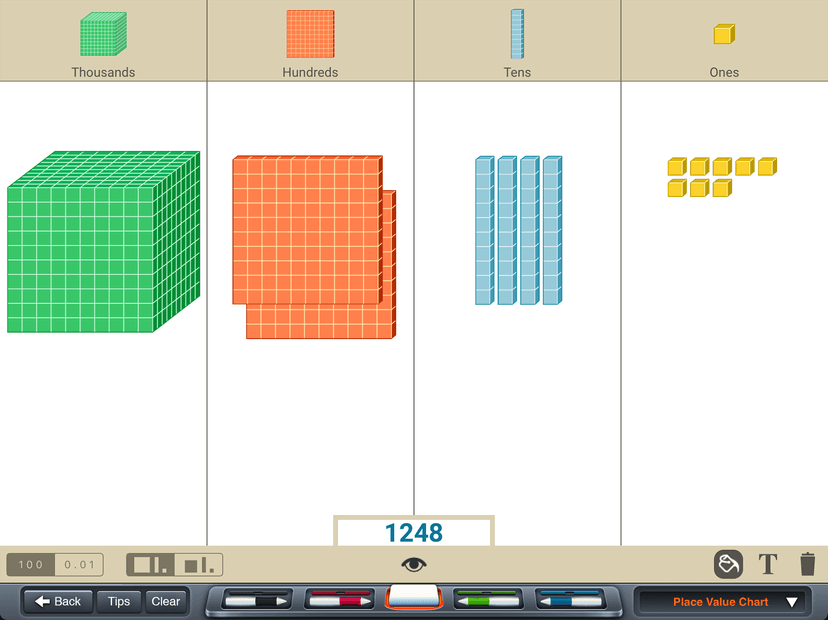
Brainingcamp is effective for learning only when paired with direct instruction from a parent or teacher. It is not an app you can simply hand to your child expecting them to learn math independently. Instead, it functions as a comprehensive digital toolkit containing virtual versions of classroom staples like fraction tiles, base-ten blocks, and geoboards. When your child struggles with abstract numerical concepts, these digital manipulatives bridge the gap by providing concrete visual representations. This approach heavily aligns with the concrete-representational-abstract instructional sequence, a proven learning science framework. However, the application itself contains no curriculum, no automated assessment, and no corrective feedback mechanisms. If your child builds an incorrect fraction model, the platform will not correct them or offer hints. You must sit directly with your child, assign specific math problems, and actively guide their reasoning. For educators, this open-ended nature is highly versatile for whole-class modeling or inquiry-based assignments. For parents seeking a supplementary digital tutor that independently diagnoses and remediates math gaps, this specific tool will ultimately fall short. It fundamentally requires active adult facilitation to turn digital block manipulation into actual, verifiable mathematical comprehension.
How Does Brainingcamp: Digital Math Manipulatives Work?
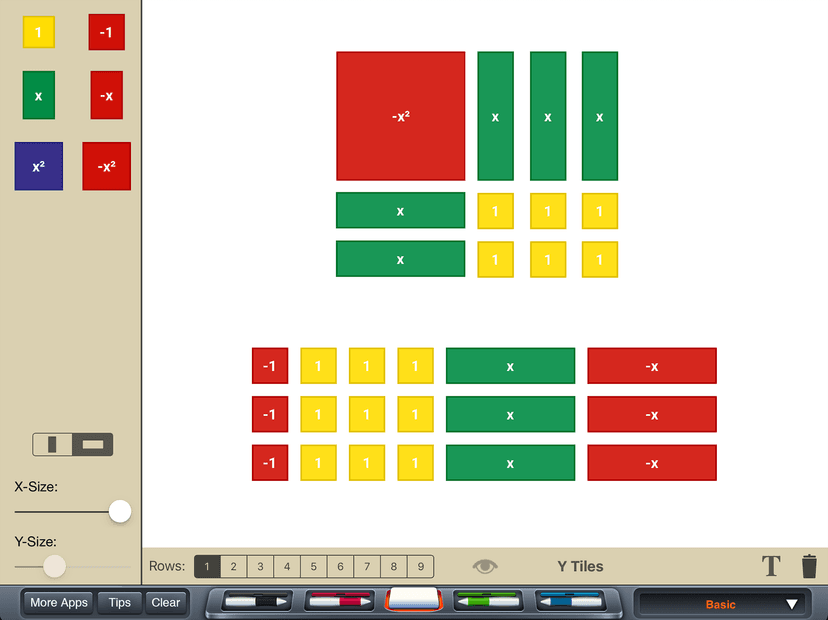
Brainingcamp uses an inquiry-based learning approach through open-ended digital workspaces where students physically manipulate virtual math models. The platform replaces physical classroom bins of base-ten blocks, pattern blocks, and algebra tiles with identical digital equivalents. When a student logs in, they select a specific manipulative tool based on their current math topic. The interface offers a blank canvas where users drag and drop elements, group objects, or draw connections using digital markers. Educators can push pre-made tasks directly to student screens through unique sharing codes, allowing for guided independent practice. Students then manipulate the digital objects to solve the problem and submit their visual reasoning back to the teacher for review. The application relies heavily on dual coding theory, combining visual imagery with mathematical symbols to actively reduce working memory load. Because the mechanics involve free-form manipulation rather than multiple-choice questions, students must actively construct their understanding. However, the complete lack of an algorithmic backend means the app does not mathematically verify whether the student's constructed model correctly solves the prompt.
Strengths and tradeoffs of Brainingcamp: Digital Math Manipulatives
Brainingcamp's biggest strength is its high-fidelity translation of concrete mathematical manipulatives into a frictionless digital format, while its biggest weakness is the complete absence of automated instructional feedback. Strong conceptual grounding is evident in how the application supports the concrete-representational-abstract progression. By allowing students to interact directly with virtual fraction circles or Cuisenaire rods, it effectively lowers the cognitive barrier to entry for highly complex mathematical topics. Visual modeling helps prevent the rote memorization of algorithms by forcing learners to physically demonstrate why a math rule works. However, the lack of immediate corrective feedback violates a core principle of effective digital learning. No algorithmic intervention means a student can practice a procedural mathematical error repeatedly without the system intervening to correct the misconception. Furthermore, there is no spaced retrieval practice built into the platform whatsoever. Because the app does not track mastery or dynamically generate adaptive practice items, teachers and parents must manually schedule review sessions to ensure long-term retention. While Brainingcamp fundamentally excels at making abstract concepts visible during direct instruction, it completely outsources the critical diagnostic and remedial phases of learning to the human educator.
Who Might Benefit From Brainingcamp: Digital Math Manipulatives?
Best for classroom teachers and actively involved homeschooling parents who need a reliable set of digital math tools to supplement their own direct instruction. It robustly supports kindergarten through eighth-grade students who specifically benefit from visual modeling when tackling concepts like place value, fractions, and early algebra. Because the platform requires independent lesson planning and active facilitation, it is highly effective for schools implementing blended learning environments or guided inquiry models. It is absolutely not suitable for parents looking for an independent, self-paced math intervention program for a struggling child.
Data Transparency
Does Not Meet Data Transparency Standard
Brainingcamp: Digital Math Manipulatives reaches Level 1 of 3 (Basic protections), below our data transparency standard. Reaching Level 2 needs the policy to document data export and a data retention timeline.
20 of 35 checks passed
Evaluated September 2026
Brainingcamp Privacy Policy →Level 1 · Basic protections
Does not sell data or target ads at students, limits sharing, and lets parents see and delete their child's data.
Level 2 · Parent control (meets the standard)
Families can get their data out, know who processes it, and know how long it is kept.
Not documented: data export, a data retention timeline
Level 3 · Direct data access
Families or schools can pull their own data through an API, in a stated format.
Not documented: an API for retrieving their own data, a named export format
View all 35 checks
Parent Access7/8
Does the policy mention parents specifically?
“Parents and legal guardians of a minor child who have legal rights to inspect, review, correct, or remove their children’s information are requested to do so by contacting their school or district which can access that information by signing in or contacting us.”
Can parents view their child's data?
“Parents and legal guardians of a minor child who have legal rights to inspect, review, correct, or remove their children’s information are requested to do so by contacting their school or district which can access that information by signing in or contacting us.”
Can parents modify their child's data?
“Parents and legal guardians of a minor child who have legal rights to inspect, review, correct, or remove their children’s information are requested to do so by contacting their school or district which can access that information by signing in or contacting us.”
Can parents delete their child's account?
“Parents and legal guardians of a minor child who have legal rights to inspect, review, correct, or remove their children’s information are requested to do so by contacting their school or district which can access that information by signing in or contacting us.”
Is there a dedicated Children's Privacy section?
“Brainingcamp complies with COPPA and does not knowingly collect personal information directly from children under 13. Student access is anonymous and controlled by schools or educators.”
Does it reference COPPA compliance?
“Brainingcamp complies with COPPA and does not knowingly collect personal information directly from children under 13.”
Does it reference FERPA compliance?
“When providing services to schools and districts, Brainingcamp acts as a “school official” under FERPA and performs institutional services with a legitimate educational interest under the direct control of the school or district.”
Is parental consent required for child accounts?
The policy says students use the product anonymously and does not mention requiring parental consent.
Data Portability2/5
Can users access their personal data?
“Educators, schools, and districts remain in control of the personal information they provide to us. At any time they may sign in with their password to review, change, or delete their information.”
Can users download/export their data?
The policy does not address downloading or exporting data.
Is there a self-service data access tool?
“At any time they may sign in with their password to review, change, or delete their information.”
Is a specific data format mentioned for export?
The policy does not mention any export format.
Is there an API for data access?
The policy does not mention an API for data access.
Data Minimization4/6
Is data collection itemized?
“We may collect from educators their first and last name, email address, role, school or district, and a password.”
Can the app be used without a real name?
“Students access Brainingcamp anonymously using shared generic usernames created by schools or educators. We do not collect personally identifiable information (“PII”) from students.”
Can the app be used without an email?
“Students access Brainingcamp anonymously using shared generic usernames created by schools or educators. We do not collect personally identifiable information (“PII”) from students.”
Does it state collection is limited to what is necessary?
The policy says most information collected is necessary for participation but does not commit to limiting collection to what is necessary.
Is IP address anonymized or truncated?
The policy says it collects IP addresses and does not say they are anonymized or truncated.
Is location tracking explicitly excluded?
“We do not collect precise geolocation data.”
Third-Party Protection5/7
Does it explicitly state no selling of data?
“We do not sell or share personal information as defined under applicable U.S. state privacy laws.”
Are third-party providers named?
“We may share information with trusted service providers such as Amazon Web Services (cloud hosting), Google Analytics (analytics), and email service providers”
Are providers contractually restricted?
“We may share information with trusted service providers such as Amazon Web Services (cloud hosting), Google Analytics (analytics), and email service providers used to deliver account notifications or support communications, subject to contractual confidentiality and security obligations.”
No-targeted-advertising commitment?
“We use Google Analytics 4 (GA4) to collect aggregated usage statistics to improve usability and performance. We do not enable advertising or retargeting features.”
Is AI/ML data sharing addressed?
The policy does not address AI or machine learning.
Child-specific sharing restriction?
The policy says it collects no student PII but has no sharing restriction specific to children.
Cookies/tracking limited or opt-out?
“Where required by applicable law (such as in the EEA or UK), analytics cookies are placed only after consent through our cookie banner.”
Deletion & Retention2/5
Can users delete their account?
“At any time they may sign in with their password to review, change, or delete their information.”
Self-service deletion mechanism?
“At any time they may sign in with their password to review, change, or delete their information.”
Specific data retention timeline?
The policy gives no specific data retention timeline.
Auto-deletion of inactive accounts?
The policy does not address automatic deletion of inactive accounts.
Post-deletion handling described?
The policy only says removing information may cost access and does not describe how data is handled after deletion.
Advertising0/4
Advertising model explicitly disclosed?
The policy does not explicitly say whether the product shows advertising; it only says cookies are not used for advertising.
Free from third-party advertisements?
The policy does not explicitly say the product is free of third-party advertisements.
Children excluded from ad targeting?
The policy has no commitment about ad targeting that is specific to children.
Ad-free option available?
The policy does not say the product has no advertising or offers an ad-free option.
What This Means
The policy review did not meet our data transparency standard. The checks above show the documented findings and unknowns. A missing statement does not establish how the app handles data in practice.
About this evaluation: Based on automated analysis of Brainingcamp Privacy Policy against 35 policy-disclosure questions, including questions adapted from the Common Sense Privacy Program's published evaluation questions. TLS is not affiliated with Common Sense Media, and this is not a Common Sense rating. Quoted text is copied from the policy; unquoted notes are our summary. Results describe what the policy documents, not the company's actual practices. Privacy policies can change: this review reflects the version we analyzed and does not determine legal compliance.
Sources and review method
TLS combines product information and editorial analysis to explain how Brainingcamp: Digital Math Manipulatives works, its tradeoffs, and the questions to ask before choosing it. Product features, an instructional rationale and evidence of learning outcomes are different kinds of information.
Formal Learning Standard assessment: not yet completed. Data Transparency findings are reported separately and do not establish learning effectiveness. Read our methodology.
Frequently Asked Questions About Brainingcamp: Digital Math Manipulatives
Is Brainingcamp free?
No, Brainingcamp requires a paid subscription rather than offering a free tier for individual users. They offer specific class, school, and customized district licenses for standard twelve-month terms. This pricing model explicitly targets institutional buyers and classroom teachers rather than single-family purchases. If you are a parent looking for at-home practice, you will likely need to request access through your child's school rather than buying a standalone consumer account.
Is Brainingcamp good for kindergarten through eighth-grade students?
Yes, it is highly appropriate and beneficial for elementary and middle school students from kindergarten through eighth grade. The visual manipulatives directly align with early mathematical milestones like understanding place value, addition, subtraction, and basic geometry. By allowing younger learners to physically drag and interact with digital blocks, it makes abstract numerical concepts highly accessible and concrete, significantly reducing the cognitive load required to understand foundational mathematics.
What does Brainingcamp teach?
Brainingcamp does not explicitly teach anything independently. Instead, it provides a comprehensive suite of digital mathematical manipulatives like interactive number lines, fraction tiles, and base-ten blocks. Teachers and parents use these virtual tools to model math concepts during direct instruction. Because it lacks a built-in curriculum, the specific topics taught depend entirely on the lesson plan provided by the human educator guiding the digital learning session.
Brainingcamp vs. DreamBox: which is better?
DreamBox is better for independent, adaptive learning because it features a built-in curriculum and provides immediate, automated feedback to systematically correct student mistakes. Brainingcamp is better for teacher-led instruction where the educator actively guides the visual exploration of math concepts. While DreamBox functions as a standalone digital tutor that intuitively adjusts to your child's skill level, Brainingcamp serves as an open-ended utility toolkit requiring a human instructor.
Has The Learning Standard evaluated Brainingcamp: Digital Math Manipulatives?
TLS has not yet completed a Learning Standard evaluation of how well Brainingcamp: Digital Math Manipulatives teaches. Its privacy policy has been reviewed for Data Transparency and reaches Level 1, Basic protections.
Is Brainingcamp: Digital Math Manipulatives COPPA compliant?
The reviewed privacy policy references COPPA. A policy reference alone does not establish COPPA compliance. Policy review note: The policy states it complies with COPPA.
Is Brainingcamp: Digital Math Manipulatives FERPA compliant?
The reviewed privacy policy references FERPA. A policy reference alone does not establish FERPA compliance. Policy review note: The policy says it acts as a school official under FERPA.
Does Brainingcamp: Digital Math Manipulatives have a children's privacy policy?
The reviewed policy includes a dedicated children's privacy section. Policy review note: The policy has a section headed "9. COPPA".
Does Brainingcamp: Digital Math Manipulatives sell student data?
The reviewed policy states that the app does not sell data. This is a policy statement; actual data practices were not verified. Policy review note: The policy states that the vendor does not sell personal information.
Can you delete your data from Brainingcamp: Digital Math Manipulatives?
The reviewed privacy policy describes account deletion. We have not tested the deletion process. Policy review note: Users can delete their information.
Follow TLS Research
Subscribe to future TLS research updates: app reviews, findings, and what the evidence shows.
Screenshots


Take Action
For Brainingcamp: Digital Math Manipulatives
If you represent Brainingcamp and have a correction or new evidence, send the relevant source so we can review and update this page.
Submit a correctionDetails
- Pricing
- Class licenses are for teachers who want their students to work individually on any device. School licenses are for institutions that want access for any teachers or student users without worrying about user counts. A school license covers everyone teaching or enrolled at a single campus. District licenses are customized for individual district needs. Licenses are for 12-month terms that start when orders are received and processed. Special circumstances requiring a term different from 12-months can individually be discussed.
- Platforms
- Web Browser, iOS (Apple mobile), iPadOS (Apple tablet), Android (Google mobile), Tizen (Samsung mobile), Windows (Microsoft), macOS (Apple), Chrome OS (Google)
- Grade Levels
- Kindergarten, 1st Grade, 2nd Grade, 3rd Grade, 4th Grade, 5th Grade, 6th Grade, 7th Grade, 8th Grade
- Website
- Visit site