
ALEE
Product by ALEE
Facts checked: Not yet checked
Our take (not a Learning Standard rating). This label applies to learning-science judgments throughout this overview.
Our take (not a Learning Standard rating)
While ALEE does not directly teach students, it equips educators to deliver effective humanities instruction. It streamlines unit planning and text pairing, which supports cognitive load reduction for teachers. However, its effectiveness relies entirely on the teacher's execution, and it remains pending formal evaluation by The Learning Standard.
Pros
- Reduces teacher cognitive load by centralizing unit planning and text pairing in one platform.
- Supports differentiation by allowing educators to adjust lesson rigor based on student reading levels.
- Facilitates schema building by providing relevant paired texts to activate prior knowledge.
- Aligns novel units with established educational standards to ensure structured progression.
Cons
- Effectiveness is highly dependent on teacher execution rather than built-in student mechanics.
- Lacks direct student-facing retrieval practice or spaced repetition tools.
- No immediate feedback loops for students interacting with the humanities content.
What Do We Know About ALEE?
ALEE is partially effective as a learning tool because it operates behind the scenes to help teachers build rigorous humanities lessons, rather than instructing your child directly. Because ALEE is a lesson planning platform, your child will not interact with the software. Instead, their teacher uses it to create standards-aligned novel units, find paired texts, and differentiate instruction. By providing teachers with paired texts, the tool relies on the learning science principle of schema building: helping your child connect new reading material to existing background knowledge. It also helps educators scaffold complex texts, which manages cognitive load for readers struggling with grade-level materials. However, because ALEE does not feature a student-facing interface, it cannot offer immediate feedback, spaced repetition, or direct retrieval practice. The actual learning outcomes depend entirely on how well the teacher delivers the ALEE-generated lesson in the classroom. The Learning Standard has not yet formally evaluated ALEE’s impact on student achievement. Parents should view this as an administrative and curriculum support tool rather than a supplementary app for home use.
How Does ALEE Work?
ALEE uses an inquiry-based and direct instruction approach by structuring literature units around central texts and supplementary readings. Teachers log into the platform to select a target novel and build a comprehensive instructional unit. The system generates lesson plans, discussion questions, and paired texts that align with educational standards. Teachers can differentiate these materials to accommodate various reading levels within their classroom. By organizing content around core humanities themes, ALEE facilitates deep processing and thematic connection. The platform centralizes the administrative work of lesson planning, theoretically freeing up the teacher to focus on instructional delivery and student interaction. Educators can also use the tool to develop their own content expertise before introducing complex historical or literary concepts to their students.
Strengths and tradeoffs of ALEE
ALEE’s biggest strength is its ability to reduce teacher cognitive load through centralized curriculum planning, while its biggest weakness is the complete lack of direct, student-facing learning mechanics. Teacher support is robust; by automating the alignment of novel units with state standards and sourcing paired texts, the platform allows educators to focus on pedagogy rather than administration. Sourcing paired texts is particularly grounded in learning science, as it aids in schema building: helping students integrate new information with prior knowledge. However, because ALEE is strictly a teacher tool, it lacks essential mechanics like retrieval practice and spaced repetition. There are no adaptive algorithms to test student comprehension or provide immediate feedback on incorrect answers. The effectiveness of the differentiated lessons depends entirely on the teacher's ability to execute them in real-time. Additionally, without a student interface, the platform cannot track individual mastery or adjust the difficulty of texts dynamically based on a student's reading performance.
Who Might Benefit From ALEE?
ALEE is best for middle and high school humanities teachers who need structured support for planning novel units and differentiating instruction. It is designed for educators working with 4th through 12th-grade students, specifically targeting literature and reading comprehension goals. Administrators looking to standardize curriculum planning across a humanities department will also find it useful. It is not intended for parents seeking at-home tutoring or for students looking for independent study tools. Instead, it serves as a professional development and curriculum design engine to enhance classroom-based direct instruction and inquiry-based learning.
Sources and review method
TLS combines product information and editorial analysis to explain how ALEE works, its tradeoffs, and the questions to ask before choosing it. Product features, an instructional rationale and evidence of learning outcomes are different kinds of information.
Formal Learning Standard assessment: not yet completed. Data Transparency findings are reported separately and do not establish learning effectiveness. Read our methodology.
Frequently Asked Questions About ALEE
Is ALEE free?
No, ALEE requires a paid subscription, though it offers a free 14-day trial for teachers. The trial provides access to all professional features without requiring a credit card. Schools can negotiate custom pricing plans that include performance guarantees.
Is ALEE good for middle school students?
Yes, ALEE is highly effective for planning middle school instruction. It supports 4th through 12th-grade humanities curricula. However, students do not use the app directly; rather, teachers use it to build lessons and pair texts appropriate for middle school reading levels.
What does ALEE teach?
ALEE does not teach students directly. It provides educators with the materials to teach humanities, specifically focusing on literature, reading comprehension, and novel studies. It generates standards-aligned units, discussion questions, and paired texts to support classroom instruction.
ALEE vs. CommonLit: Which is better?
Both platforms provide strong reading resources, but they serve slightly different purposes. CommonLit offers direct student-facing reading passages with built-in comprehension checks, whereas ALEE functions as a comprehensive unit planner for full-length novels. The better choice depends on whether a teacher needs daily reading practice or holistic novel unit planning.
Has The Learning Standard evaluated ALEE?
TLS has not yet completed a Learning Standard evaluation of how well ALEE teaches. TLS has not published a Data Transparency result for its privacy policy.
Follow TLS Research
Subscribe to future TLS research updates: app reviews, findings, and what the evidence shows.
Screenshots

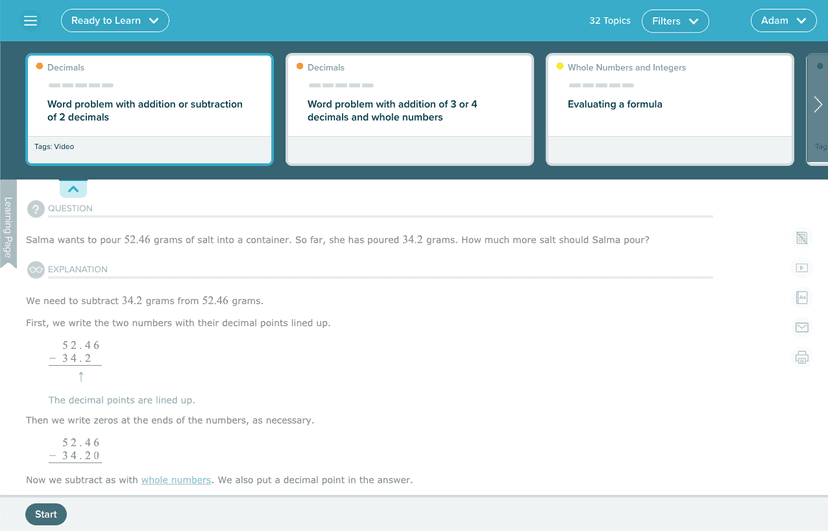
Take Action
For ALEE
If you represent ALEE and have a correction or new evidence, send the relevant source so we can review and update this page.
Submit a correctionDetails
- Pricing
- ALEE For Teachers: Free 14-day trial. No credit card is required. Get access to all Professional subscription features. ALEE For Schools: 1. Customize Your Experience (we’ll create a white-glove plan tailored to your needs). 2. Set Targets: Together, we’ll establish clear, achievable objectives. 3. Experience Guaranteed Results: If objectives aren’t met, you have an out.
- Platforms
- Windows (Microsoft), macOS (Apple), Chrome OS (Google)
- Grade Levels
- 4th Grade, 5th Grade, 6th Grade, 7th Grade, 8th Grade, 9th Grade, 10th Grade, 11th Grade, 12th Grade
- Website
- Visit site