
Slides Toolbox
by DAWENT
The Learning Standard Verdict
Our evaluation of Slides Toolbox
Learning Standard
Not Evaluated
Evaluation pending
Data Transparency
Not Evaluated
Evaluation pending
Take Action
For Slides Toolbox
If you represent DAWENT and believe this evaluation is inaccurate or outdated, we welcome the opportunity to re-evaluate your product.
Request Re-evaluationAbout
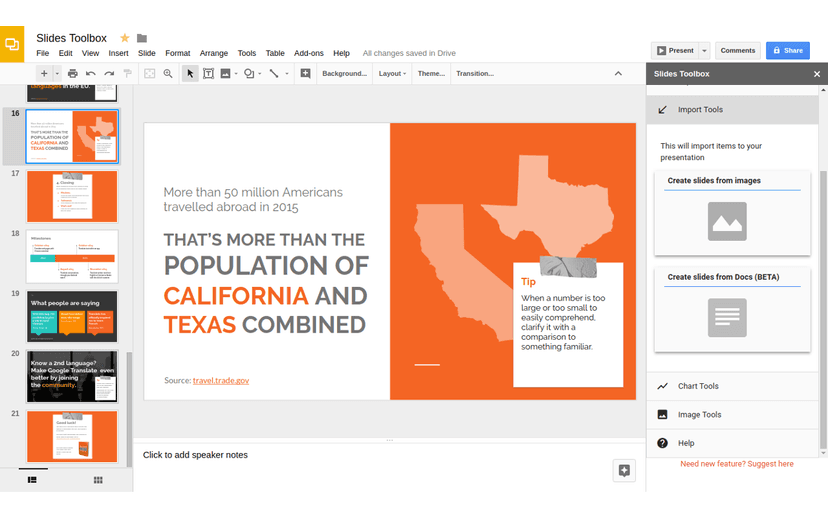
Slides Toolbox is a powerful Google Slides add-on that helps educators and professionals save time by automating repetitive tasks. With just a few clicks, users can clean up formatting, merge slides, insert images or text in bulk, and more—streamlining slide creation and improving presentation quality. It’s ideal for teachers looking to enhance productivity and maintain consistency across instructional materials.
Screenshots

Details
- Pricing
- Pricing Model: Slides Toolbox uses a freemium model, offering essential features for free with an option to upgrade to a premium version for enhanced functionality. Free Version Limitations:The free version is fully functional for single-slide operations but does not support bulk actions across multiple slides. For example, to bold all text in a presentation, users must select and edit each slide individually. The premium version removes this limitation, allowing users to perform time-saving, presentation-wide edits with a single click.Cost Factors:Premium access is offered at a fixed cost with no per-user pricing. Institutional discounts are available for bulk or district-level purchases.
- Platforms
- Web Browser
- Grade Levels
- Infant/Toddler, Preschool, Prekindergarten, Transitional Kindergarten, Kindergarten, 1st Grade, 2nd Grade, 3rd Grade, 4th Grade, 5th Grade, 6th Grade, 7th Grade, 8th Grade, 9th Grade, 10th Grade, 11th Grade, 12th Grade, Associate's degree, Bachelor's degree, Post-baccalaureate certificate, Master's Degree, Post-master's certificate, Doctoral Degree, Post-doctoral certificate, Adult Education, Professional or Technical Credential
- Website
- Visit site