
PocketLab Weather
Product by PocketLab
Facts checked: Not yet checked
Our take (not a Learning Standard rating). This label applies to learning-science judgments throughout this overview.
Our take (not a Learning Standard rating)
PocketLab Weather effectively transforms abstract climate concepts into tangible data, but it acts primarily as a measurement tool rather than a comprehensive instructional platform. Your child will need external guidance or a curriculum to contextualize the atmospheric data they collect to achieve meaningful learning outcomes.
Pros
- Facilitates inquiry-based learning by allowing students to collect and analyze real-time atmospheric data.
- Bridges the gap between abstract weather concepts and concrete observable phenomena.
- Encourages active experimentation rather than passive consumption of scientific facts.
Cons
- Lacks built-in curriculum, relying entirely on the user or educator to structure the learning experience.
- Provides no automated feedback or scaffolding to help students interpret the data they collect.
- High price point makes it inaccessible for casual at-home experimentation compared to free weather data apps.
What Do We Know About PocketLab Weather?
PocketLab Weather is highly effective for hands-on scientific data collection, but it requires substantial adult guidance to function as a standalone learning tool. Because this product is essentially a hardware sensor paired with a data-visualization app, it does not explicitly teach your child meteorological concepts through lessons or quizzes. Instead, it relies on an inquiry-based learning model. Your child must actively hypothesize, collect environmental data like barometric pressure or humidity, and draw their own conclusions. This lack of explicit instruction means the app will not automatically correct misconceptions. If your child misinterprets a drop in pressure, the app will not provide corrective feedback. To make this a valuable educational investment, you will need to design experiments or follow external lesson plans that prompt your child to apply the scientific method. The strength here lies in authentic data interaction, which learning science shows improves student engagement and retention of STEM concepts when properly scaffolded. However, without that scaffolding, it is simply a digital thermometer. Please note that The Learning Standard has not yet formally evaluated this tool in a classroom setting.
How Does PocketLab Weather Work?
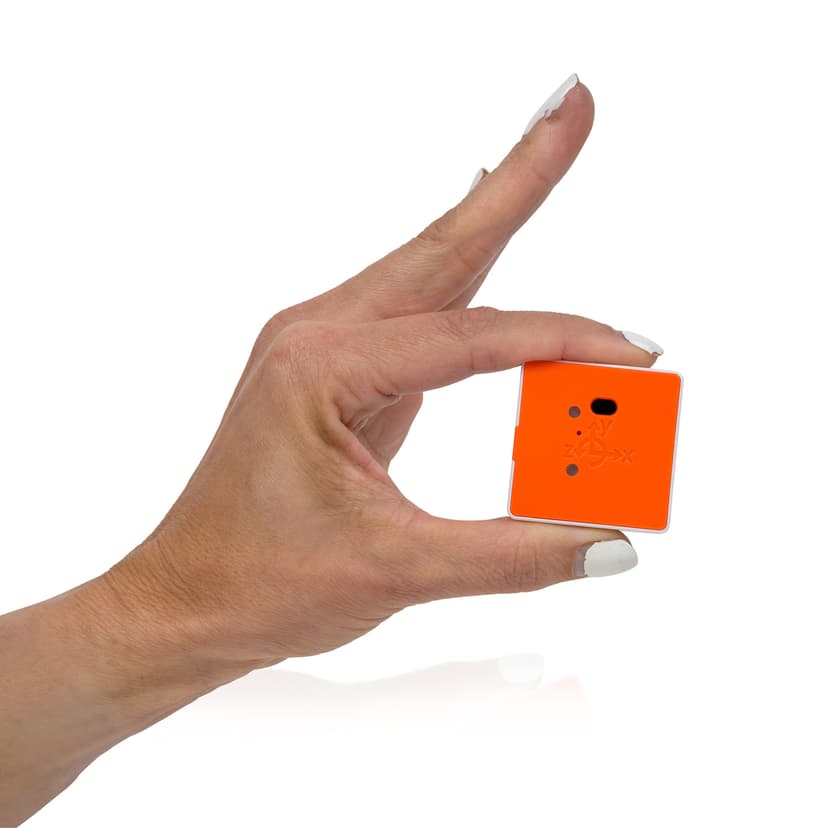
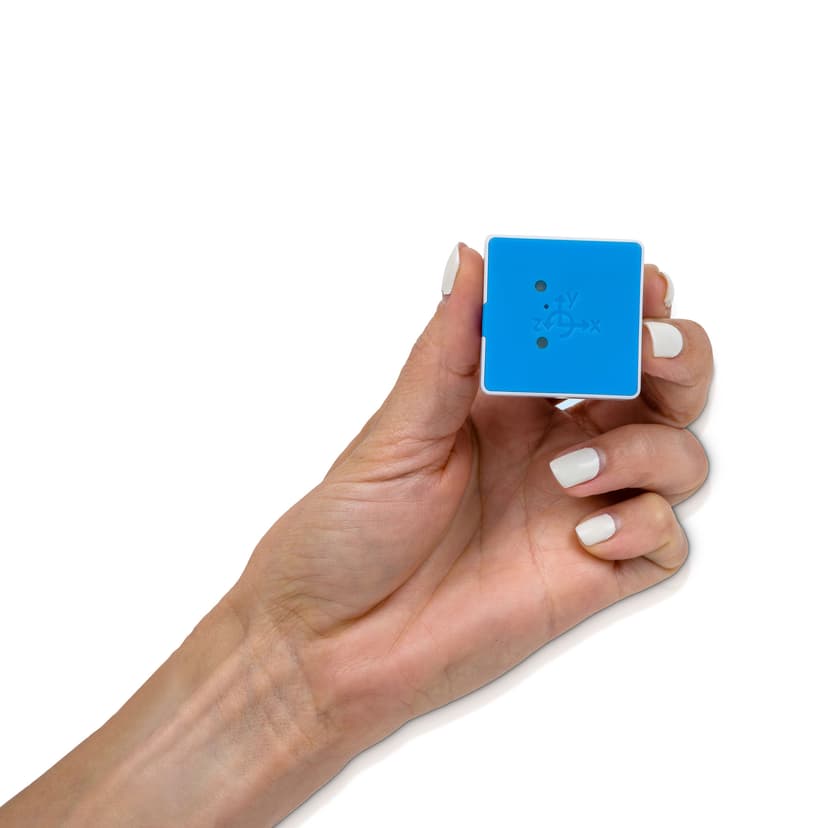
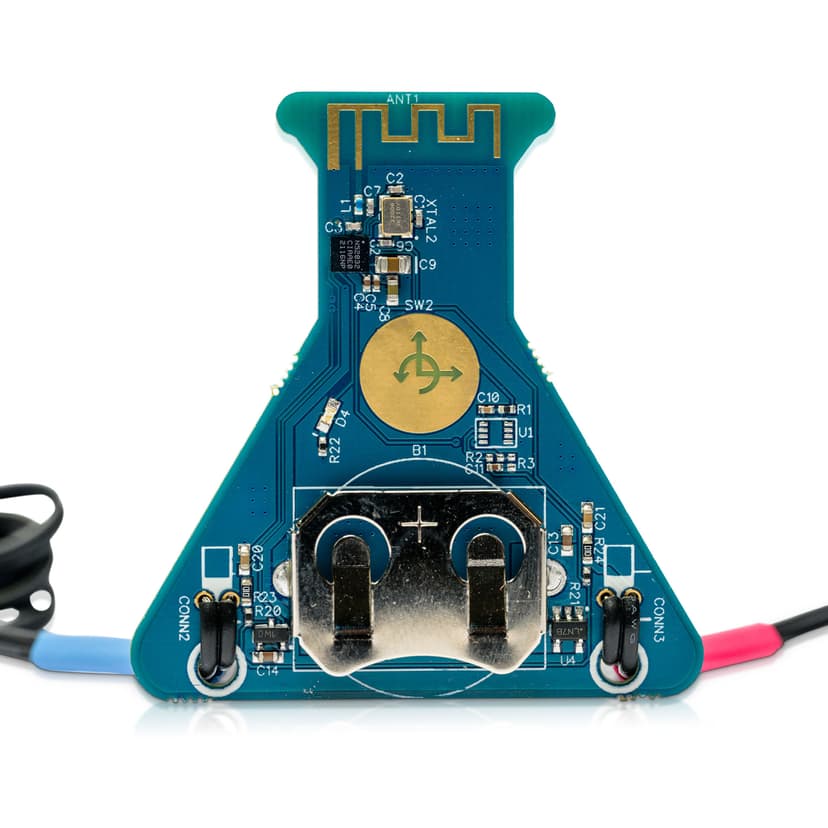
PocketLab Weather utilizes an inquiry-based, experiential learning approach where students act as primary data collectors. The system consists of a physical environmental sensor that pairs via Bluetooth to a digital application. Once connected, the app visualizes real-time data streams for metrics like temperature, humidity, light intensity, and barometric pressure. The interface strips away the complexity of professional data logging software, presenting clean graphs and numeric readouts that students can easily track. Users can record data sessions, export the numbers into spreadsheets, and track how environmental variables change over time or across different locations. The mechanics rely entirely on user initiation. The app does not prompt the user with questions or tasks. Instead, the learner must construct their own understanding by manipulating their environment, such as taking the sensor from a shaded room to direct sunlight, and observing the resulting shift in the data graphs.
Strengths and tradeoffs of PocketLab Weather
The biggest strength of PocketLab Weather is its capacity to make invisible environmental variables visible, while its biggest weakness is the complete absence of built-in instructional scaffolding. Authentic Data Collection: Learning science demonstrates that students grasp abstract scientific principles better when they interact with concrete, real-world data. By allowing learners to measure local microclimates, the app bridges the gap between textbook theory and physical reality. Constructivist Engagement: It forces learners into an active role, promoting higher-order thinking skills like data analysis and experimental design. However, the tool's utility is bottlenecked by its lack of structured pedagogy. No Direct Instruction: The app assumes the user already understands how to interpret a graph or what barometric pressure means. There are no worked examples or definitions provided within the interface. No Corrective Feedback: If a student misinterprets a spike in humidity, the application provides no guidance to correct the error. The cognitive load of designing the experiment, gathering the data, and interpreting the results falls entirely on the student and their teacher or parent.
Who Might Benefit From PocketLab Weather?
PocketLab Weather is best for middle and high school science students whose teachers or parents can provide structured, hands-on laboratory activities. While marketed to a wide age range, the required data literacy makes it most appropriate for learners in 6th grade and above. It is an excellent fit for project-based learning environments, science fair participants, or homeschooling families who want a professional-grade measurement tool for environmental science units. It is not recommended for independent young learners or parents seeking a guided, self-paced science curriculum.
Data Transparency
Does Not Meet Data Transparency Standard
PocketLab Weather does not meet our data transparency standard. Its privacy policy does not document basic protections, including a commitment against targeted advertising, limits on sharing children's data and contractual limits on service providers.
12 of 35 checks passed
Evaluated September 2026
PocketLab Privacy Policy →Level 1 · Basic protections
Does not sell data or target ads at students, limits sharing, and lets parents see and delete their child's data.
Not documented: a commitment against targeted advertising, limits on sharing children's data, contractual limits on service providers, parents' right to see their child's data
Level 2 · Parent control (meets the standard)
Families can get their data out, know who processes it, and know how long it is kept.
Not documented: users' right to access their data, data export, a data retention timeline, self-service deletion
Level 3 · Direct data access
Families or schools can pull their own data through an API, in a stated format.
Not documented: an API for retrieving their own data, a named export format
View all 35 checks
Parent Access4/8
Does the policy mention parents specifically?
“Users who are under the age of 13 need consent from their parents/guardians to have a student account.”
Can parents view their child's data?
The policy gives parents only a way to request deletion of a child's data, not a right to view it.
Can parents modify their child's data?
The policy does not give parents a right to modify their child's data.
Can parents delete their child's account?
“If you are the parent or guardian of a child under the age of 13 and believe we may have collected personal data, please contact us so we can delete the information.”
Is there a dedicated Children's Privacy section?
The policy covers children's data inside the general "6b. Personal Data" section and has no separate children's privacy heading.
Does it reference COPPA compliance?
“We do not knowingly collect personal information from children under the age of 13 without prior verifiable parental consent. If you are the parent or guardian of a child under the age of 13 and believe we may have collected personal data, please contact us so we can delete the information. Read more information about COPPA, which is the Children’s Online Privacy Protection Act here:”
Does it reference FERPA compliance?
The policy does not mention FERPA.
Is parental consent required for child accounts?
“Users who are under the age of 13 need consent from their parents/guardians to have a student account.”
Data Portability0/5
Can users access their personal data?
The policy only promises to tell users on request whether it holds their personal information, not to give them access to it.
Can users download/export their data?
The policy does not address downloading or exporting data.
Is there a self-service data access tool?
The policy describes no self-service tool for accessing data; users must send requests by contacting the company.
Is a specific data format mentioned for export?
The policy names no export format.
Is there an API for data access?
The policy does not mention an API for data access.
Data Minimization3/6
Is data collection itemized?
“we may collect information including your email address, IP address, name, address, phone number, and other information that you provide.”
Can the app be used without a real name?
The policy says student usernames can come from Google Classroom display names, and it only recommends that teachers use aliases.
Can the app be used without an email?
The policy says PocketLab stores the email addresses of ClassLink student users.
Does it state collection is limited to what is necessary?
“We aim to collect as little personal data from our users as possible in our software.”
Is IP address anonymized or truncated?
“We use Google Analytics only with IP anonymization enabled. This means that Google will truncate the IP address of users within Member States of the European Union or in other states that are party to the Agreement on the European Economic Area.”
Is location tracking explicitly excluded?
The policy says the software can collect location data if the user gives permission, so location tracking is not excluded.
Third-Party Protection3/7
Does it explicitly state no selling of data?
“We will not give or sell this information to any third party.”
Are third-party providers named?
“We use the Google Analytics service from Google USA 1600 Amphitheatre Parkway Mountain View, CA 94043 ) to analyze our website visitors.”
Are providers contractually restricted?
The policy says partners were audited for GDPR compliance but describes no contractual limits on providers' use of data.
No-targeted-advertising commitment?
The policy describes targeted and remarketing ads and makes no promise that student data is excluded from targeted advertising.
Is AI/ML data sharing addressed?
The policy does not address sharing data for AI or machine learning.
Child-specific sharing restriction?
The policy has no sharing restriction specific to children's data; its statement that usage statistics are not shared covers all users.
Cookies/tracking limited or opt-out?
“If you prefer, you can refuse to use cookies and our website will work normally.”
Deletion & Retention1/5
Can users delete their account?
“If your personal information changes, or if you no longer desire our service, you may correct, update, delete or deactivate it by contacting us.”
Self-service deletion mechanism?
Account deletion requires contacting the company; users can delete only their saved location measurement data themselves.
Specific data retention timeline?
The policy gives a 30-day window for answering requests but no timeline for keeping data.
Auto-deletion of inactive accounts?
The policy does not address deleting inactive accounts.
Post-deletion handling described?
The policy does not describe what happens to data after deletion.
Advertising1/4
Advertising model explicitly disclosed?
“We may include third-party advertisements based on the Google Marketing Service called DoubleClick. DoubleClick uses cookies to enable Google and its partner websites to place ads based on users’ visits to this website or other websites on the Internet.”
Free from third-party advertisements?
The policy says it may include third-party advertisements through DoubleClick.
Children excluded from ad targeting?
The policy does not exclude children from ad targeting.
Ad-free option available?
The policy offers no ad-free option and does not say the product is free of ads.
What This Means
The policy review did not meet our data transparency standard. The checks above show the documented findings and unknowns. A missing statement does not establish how the app handles data in practice.
About this evaluation: Based on automated analysis of PocketLab Privacy Policy against 35 policy-disclosure questions, including questions adapted from the Common Sense Privacy Program's published evaluation questions. TLS is not affiliated with Common Sense Media, and this is not a Common Sense rating. Quoted text is copied from the policy; unquoted notes are our summary. Results describe what the policy documents, not the company's actual practices. Privacy policies can change: this review reflects the version we analyzed and does not determine legal compliance.
Sources and review method
TLS combines product information and editorial analysis to explain how PocketLab Weather works, its tradeoffs, and the questions to ask before choosing it. Product features, an instructional rationale and evidence of learning outcomes are different kinds of information.
Formal Learning Standard assessment: not yet completed. Data Transparency findings are reported separately and do not establish learning effectiveness. Read our methodology.
Frequently Asked Questions About PocketLab Weather
Is PocketLab Weather free?
No. The app itself may be free to download, but it requires the purchase of a proprietary physical weather sensor, which currently costs $128.
Is PocketLab Weather good for elementary students?
Only with heavy adult supervision. While the developer lists grades as low as 1st grade, understanding multi-variable graphs and atmospheric data requires cognitive skills typically developed in middle school.
What does PocketLab Weather teach?
It facilitates the learning of earth science, meteorology, and data literacy. It allows students to measure temperature, humidity, and barometric pressure, but it does not provide explicit lessons on these topics.
PocketLab Weather vs. standard weather apps: Which is better for learning?
PocketLab Weather is vastly superior for active learning. Standard weather apps promote passive consumption of remote forecasts, whereas PocketLab requires students to actively collect and analyze local, real-time data using the scientific method.
Has The Learning Standard evaluated PocketLab Weather?
TLS has not yet completed a Learning Standard evaluation of how well PocketLab Weather teaches. Its privacy policy has been reviewed for Data Transparency and does not yet document the basic protections (Level 1).
Is PocketLab Weather COPPA compliant?
The reviewed privacy policy references COPPA. A policy reference alone does not establish COPPA compliance. Policy review note: The policy names COPPA alongside its verifiable parental consent practice.
Is PocketLab Weather FERPA compliant?
A FERPA reference was not found in the reviewed privacy policy. This does not determine whether the app complies with FERPA. Policy review note: The policy does not mention FERPA.
Does PocketLab Weather have a children's privacy policy?
No dedicated children's privacy section was found in the reviewed policy. Policy review note: The policy covers children's data inside the general "6b. Personal Data" section and has no separate children's privacy heading.
Does PocketLab Weather sell student data?
The reviewed policy states that the app does not sell data. This is a policy statement; actual data practices were not verified. Policy review note: The policy states the company will not sell customer information.
Can you delete your data from PocketLab Weather?
The reviewed privacy policy describes account deletion. We have not tested the deletion process. Policy review note: Users can ask the company to delete or deactivate their information.
Follow TLS Research
Subscribe to future TLS research updates: app reviews, findings, and what the evidence shows.
Screenshots
Take Action
For PocketLab Weather
If you represent PocketLab and have a correction or new evidence, send the relevant source so we can review and update this page.
Submit a correctionDetails
- Pricing
- $128
- Platforms
- Web Browser, iOS (Apple mobile), iPadOS (Apple tablet), Android (Google mobile), Windows (Microsoft), macOS (Apple), Chrome OS (Google)
- Grade Levels
- 1st Grade, 2nd Grade, 3rd Grade, 4th Grade, 5th Grade, 6th Grade, 7th Grade, 8th Grade, 9th Grade, 10th Grade, 11th Grade, 12th Grade, Associate's degree, Bachelor's degree, Post-baccalaureate certificate, Master's Degree, Post-master's certificate, Doctoral Degree, Post-doctoral certificate
- Website
- Visit site